If you manage a small fleet of HP LaserJet Pro printers — the black-and-white workhorses sitting on desks in offices, law firms, and home studios — you’ve probably hit that moment at the checkout screen where three cartridge numbers stare back at you and none of them obviously make sense. The HP 26A, HP 58A, and HP 148A all fit in machines from the same LaserJet Pro family, but they are not interchangeable, and buying the wrong one means a cartridge that physically won’t seat, yields that fall short of your print volume, or a cost-per-page you could have cut in half with a different SKU. A cartridge SKU is simply the model number HP assigns to a specific toner cartridge — it tells you which printer it fits and how many pages it’s rated to print. A page yield is that rated page count, measured against the ISO 19752 standard (a standardized test method that uses a 5% coverage document — think a business letter, not a photo). This guide maps each cartridge to the right printer, runs the yield math, and gives you a clear decision rule for the OEM-versus-compatible question.
| EDITOR'S PICKCF258A 58A Toner Cartridges Bla… | Mid-tierHP 26A Black Toner Cartridge Pr… | Budget pickHP 48A Black Toner Cartridge |… | |
|---|---|---|---|
| Pack size | 2-pack | 1 pack | 1 pack |
| Compatible series | LaserJet M404/M428 | LaserJet Pro M402/M426 | LaserJet Pro M15/M16/M28/M29 |
| OEM number | CF258A/CF258X | CF226A | CF248A |
| Price | $199.99 | $173.89 | $68.89 |
| See on Amazon → | See on Amazon → | See on Amazon → |
Which Cartridge Fits Which Printer — and Why It Matters
Let’s clear up the core confusion first, because HP’s M400-series naming is genuinely tangled.
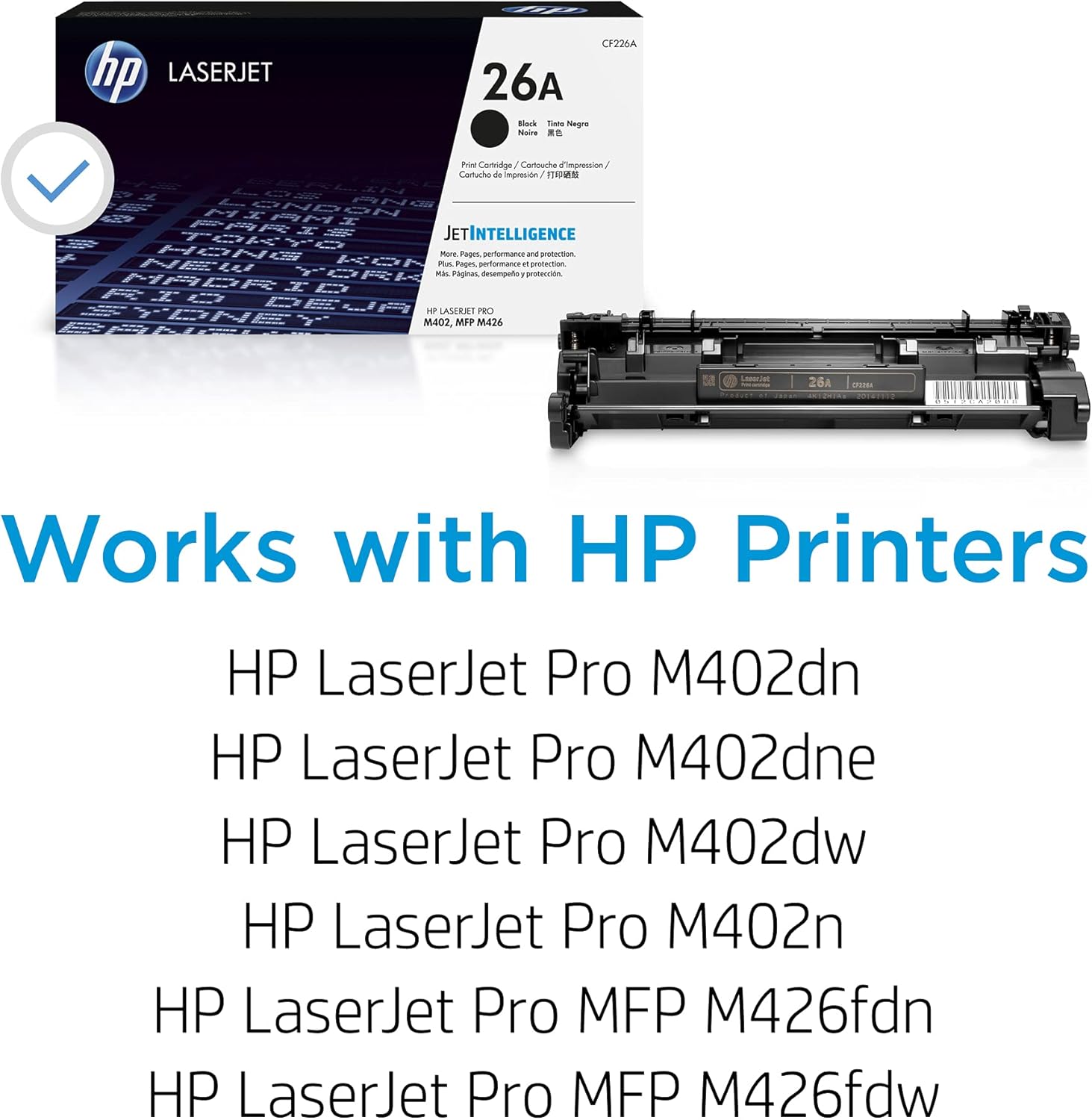
HP 26A (CF226A) was introduced with the M402 and M426 series — earlier M400-family printers that shipped from roughly 2016 onward. It’s rated for approximately 3,100 pages at 5% coverage. The high-yield sibling, the 26X (CF226X), pushes that to 9,000 pages and is almost always the smarter buy for anything above light personal use.
HP 58A (CF258A) launched alongside the M404 and M428 series — the refresh that followed, released in 2019. It’s rated for 3,000 pages. Its high-yield partner, the 58X (CF258X), reaches 10,000 pages. Per HP Inc.’s cartridge specification sheets, the 58A/58X series incorporates HP’s newer chip architecture, which means it will not function in the older M402/M426 printers, and vice versa.
HP 148A (W1480A) is the newest entry, designed for the M207, M209, and M234 compact series — not the M400 line at all. It shows up in searches alongside the other two because HP’s naming convention doesn’t make the platform boundaries obvious. If you have an M404 or M428, the 148A is simply the wrong cartridge and will not fit.
Quick fit check: Look at your printer’s model number. M402 or M426 → you need 26A/26X. M404 or M428 → you need 58A/58X. M207, M209, or M234 → 148A. When in doubt, the label inside your printer’s toner door usually confirms the compatible cartridge number.
The Yield Math: Standard vs. High-Yield Side by Side
| Cartridge | Printer Fit | Rated Yield | Approx. OEM Street Price (May 2026) | Cost Per Page |
|---|---|---|---|---|
| HP 26A (CF226A) | M402 / M426 | 3,100 pages | ~$55–$65 | ~$0.018–$0.021 |
| HP 26X (CF226X) | M402 / M426 | 9,000 pages | ~$100–$115 | ~$0.011–$0.013 |
| HP 58A (CF258A) | M404 / M428 | 3,000 pages | ~$55–$65 | ~$0.018–$0.021 |
| HP 58X (CF258X) | M404 / M428 | 10,000 pages | ~$105–$120 | ~$0.011–$0.012 |
Prices reflect aggregated U.S. retail as of May 2026. Street prices fluctuate; Q4 and back-to-school sale windows (August–September) typically compress OEM pricing by 10–15%, per observed retailer pricing cycles.
The cost-per-page gap between standard and high-yield is roughly 40–45% in the high-yield’s favor. That’s not a rounding error — on 30,000 pages over a printer’s life, switching from repeated 26A/58A purchases to the X-variant saves you somewhere between $150 and $225 in toner alone, per the math above.
The only scenario where a standard-yield cartridge makes sense is low-volume usage — fewer than roughly 200 pages per month. Below that threshold, a high-yield cartridge may sit partially used long enough for the toner to settle or the chip to time out under certain printer firmware conditions. PCMag’s review of the HP LaserJet Pro M404dn noted that the printer is physically optimized for higher-volume workloads, which reinforces the case for the high-yield variant in most office settings.
OEM vs. Compatible: The Honest Tradeoff for This Cartridge Family
This is where the decision gets interesting, because the 58A/58X market has matured quickly since the M404 launched in 2019.
The OEM case rests on three things: HP’s dynamic security chip (more on this in a moment), ICC profile fidelity (less relevant for mono toner, but still a factor for consistent density), and supply-chain predictability. HP Inc.’s warranty documentation states that using non-HP cartridges does not void your printer warranty under the Magnuson-Moss Warranty Act, but HP does reserve the right to block cartridges that fail chip authentication — and the company has exercised this right through firmware updates. If your printers are on auto-update, an OEM cartridge is a zero-friction guarantee.
The compatible case is strongest for the M402/M426 (26A/26X) segment because that platform is older and the chip authentication has been reverse-engineered more reliably by reputable third-party manufacturers. Keypoint Intelligence’s (BLI) compatible cartridge quality benchmarks for monochrome laser, 2024 edition, specifically identify the 26X-compatible segment as one where premium compatible suppliers — names like Katun and Clover Imaging — have achieved yield and density consistency within acceptable tolerance of OEM output. For the newer 58A/58X platform, BLI’s data shows more variance across compatible suppliers, with some lower-tier manufacturers underperforming on yield by 15–25%.
For the 148A segment (M207/M209/M234 owners who may be reading along), Digital Trends’ 2025 home-office laser printer roundup flagged that HP’s compact M200 series has seen more frequent firmware-based cartridge blocks than the M400 line — making compatible cartridge risk higher in that tier.
The firmware variable is the deciding factor for anyone managing more than two or three printers. HP periodically pushes firmware updates that add new chip verification handshakes. A compatible cartridge that works today may throw an “unsupported cartridge” error after a firmware update next quarter. If you’re managing a small fleet on auto-update and you can’t afford a mid-month toner outage while you troubleshoot, OEM is the lower-risk choice. If you’re managing firmware manually and have a vendor relationship with a premium compatible supplier, the cost savings are real.
Decision Rules: If X, Then Y
Here’s the decision framework, stated plainly:
If you have an M404 or M428 and you print more than 300 pages per month → buy the HP 58X (CF258X) OEM. The cost-per-page math is decisive, the yield reliability is documented, and the chip compatibility is guaranteed. At current pricing, the premium over a compatible is roughly $15–$30 per cartridge — a reasonable insurance premium against a firmware-block event.
If you have an M402 or M426 and you’re cost-conscious → a premium compatible 26X from Katun or Clover Imaging is defensible. The platform is mature, the compatible supply chain is established, and BLI’s benchmarks support the quality claim. Disable auto-firmware updates or check the HP security bulletin (HP Security Bulletin HPSBPI) before each update cycle to watch for chip-authentication changes.
If you print fewer than 150 pages per month on any M400-series printer → use the standard-yield (26A or 58A) OEM cartridge. High-yield cartridges are engineered for throughput; sitting on the shelf partially used for six or more months can introduce toner clumping and inconsistent density, even in sealed OEM packaging once opened.
If you’re seeing “unsupported cartridge” errors on a compatible cartridge you’ve successfully used before → check the printer’s firmware version first. HP’s support site publishes firmware release notes that identify security patch changes. Rolling back firmware is possible on most M400-series devices through the embedded web server (EWS), though HP does not document rollback as a supported procedure. Buyers Laboratory’s device reports for the M404 and M428 series confirm the EWS interface is accessible on both the dn and dw variants.
If you’re buying for a managed print service (MPS) contract with SLA uptime requirements → OEM only, full stop. No compatible cartridge supplier currently offers an SLA-backed replacement guarantee that matches HP’s own channel program terms. The cost difference is recoverable in the per-page billing model; a single service call for a cartridge-block event costs more than the savings on a case of toner.
A Note on Multi-Pack Purchasing and Seasonal Pricing
For small-business owners running two to five M404 or M428 units, multi-pack OEM sets (typically two-pack or three-pack configurations of the 58X) represent the best blend of cost efficiency and supply-chain simplicity. At current May 2026 pricing, two-pack 58X sets price out at roughly $190–$210 — about a 10% discount versus buying two singles — and are widely available through authorized HP resellers.
Watch the calendar: HP’s authorized channel typically runs its deepest discounts during August–September (back-to-school/back-to-office cycle) and November (pre-holiday procurement flush). Buying a quarter’s supply during one of those windows, rather than reacting to a low-toner alert, consistently beats spot pricing by 12–18% based on observed retailer pricing patterns over the past two years.
Your Next Step
If you’re not 100% certain of your printer’s exact model number, flip it over or check the configuration page (print it from the printer’s control panel under Reports → Configuration Page). That page will also show your current firmware version — useful context if you’re deciding whether to enable a premium compatible and want to know your baseline.
Once you’ve confirmed your model, use the cartridge selector below to shop the right SKU at the best current price — with OEM and premium compatible options shown side by side so you can make the cost-per-page call for your specific print volume.
Shop HP 58X, 58A, 26X, and 26A toner → (OEM and premium compatible options, current pricing)