If you’ve ever searched “Brother HL-L2350DW toner” and landed on a page showing three or four different cartridge SKUs — each with a slightly different number, each claiming to fit your printer — you know the specific frustration of not being sure which one you actually need. A SKU (Stock Keeping Unit) is simply the unique product code that identifies an exact item; in cartridge land, one wrong digit means you buy a $30 toner that doesn’t fit. For Brother’s HL-L2 monochrome (black-and-white) laser series, the two cartridges that cause the most confusion are the TN730 and the TN760. They fit the same printers. They look nearly identical in the box. But they produce very different amounts of printed pages — and that gap has real cost-per-page implications. Then there’s the DR730, a separate component called a drum unit (the cylinder inside your printer that physically transfers toner to paper), which has its own replacement schedule and its own purchase decision. By the end of this guide you’ll know exactly which toner to buy, when to replace the drum, and how to run the math on OEM versus compatible options across three distinct buyer tiers.
TN730 vs TN760: What Actually Differs
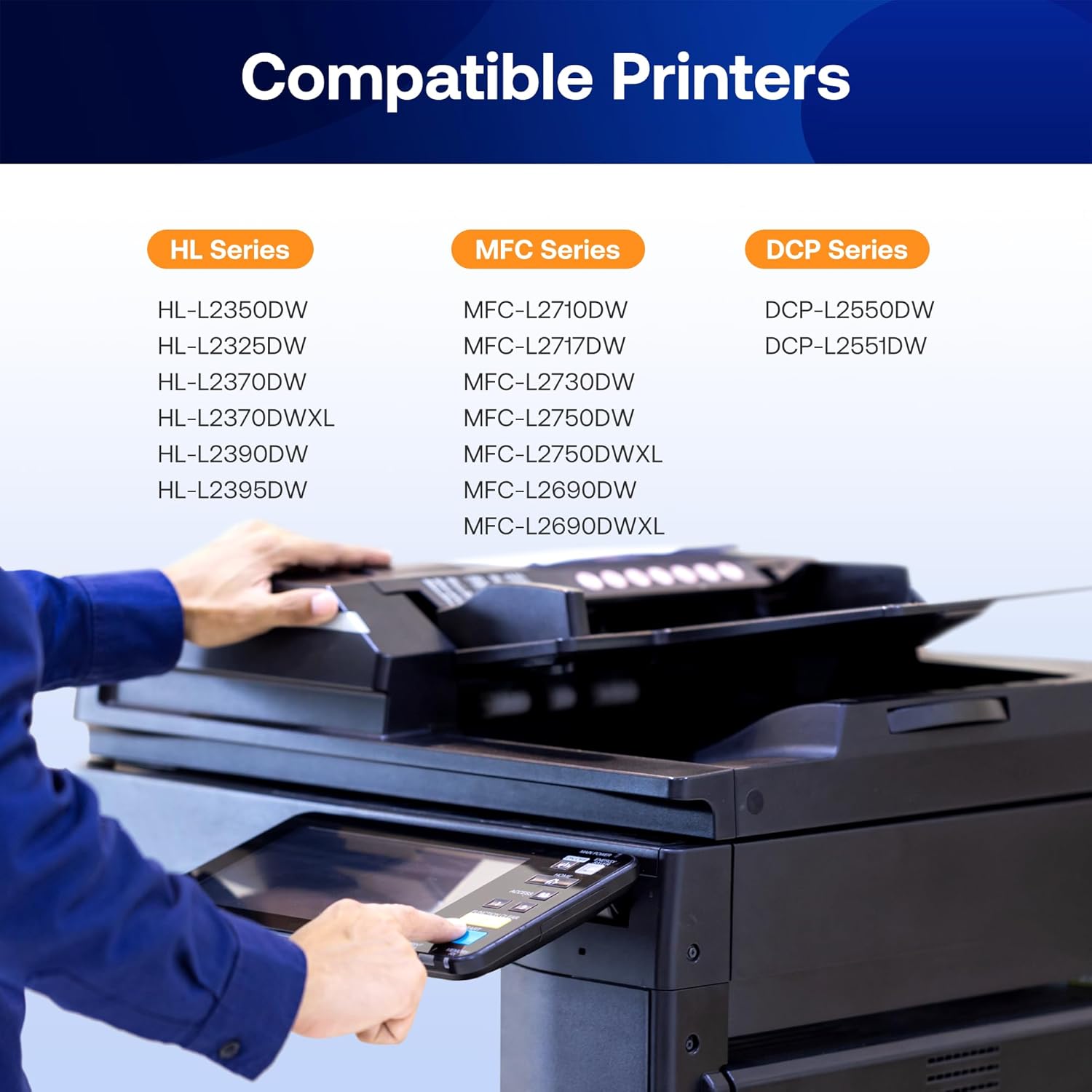
Both cartridges carry toner — the fine powder that becomes your printed text. Both are designed for Brother’s HL-L2 and MFC-L2 mono laser lineup: the HL-L2350DW, HL-L2370DW, HL-L2390DW, HL-L2395DW, MFC-L2710DW, MFC-L2750DW, and several adjacent models. The difference is entirely about yield — the number of pages each cartridge is rated to print before it runs out.
Per Brother Industries’ published TN760 and TN730 product specification sheets (brother-usa.com):
| Cartridge | ISO Yield | Approx. Street Price (OEM, May 2026) | Cost Per Page |
|---|---|---|---|
| TN730 (Standard) | ~1,200 pages | $18–$24 | ~$0.017 |
| TN760 (High-Yield) | ~3,000 pages | $38–$48 | ~$0.014 |
By the numbers:
- TN760 prints roughly 2.5× more pages than TN730
- TN760 costs roughly 2× more upfront
- Cost-per-page advantage of TN760 over TN730: approximately 18% lower
The ISO yield figures come from Brother’s published product specifications and are tested per ISO/IEC 19752 methodology. Keypoint Intelligence (Buyers Lab), in their mono laser cartridge yield certification methodology documentation (buyerslab.com), describes this standardized test as using 5% page coverage — roughly what a typical text-heavy business document looks like. If your pages run denser — forms, reports with heavy text blocks, any page with substantial graphics — real-world yield will be lower for both cartridges proportionally.
The practical decision rule: if you print more than 40–50 pages per week on a single printer, the TN760 is almost always the cheaper choice over time. At 50 pages per week, a TN730 lasts roughly 24 weeks; a TN760 lasts roughly 60 weeks. You’re swapping cartridges more than twice as often with the TN730, and paying more per page to do it.
For home office users printing 10–15 pages a week, the TN730’s lower upfront cost may actually be the right call — especially if the printer sits idle for extended periods, since lighter-cycle cartridges can be a reasonable hedge against toner settling in very low-use environments.
The DR730 Drum: A Separate Purchase You Cannot Skip Forever
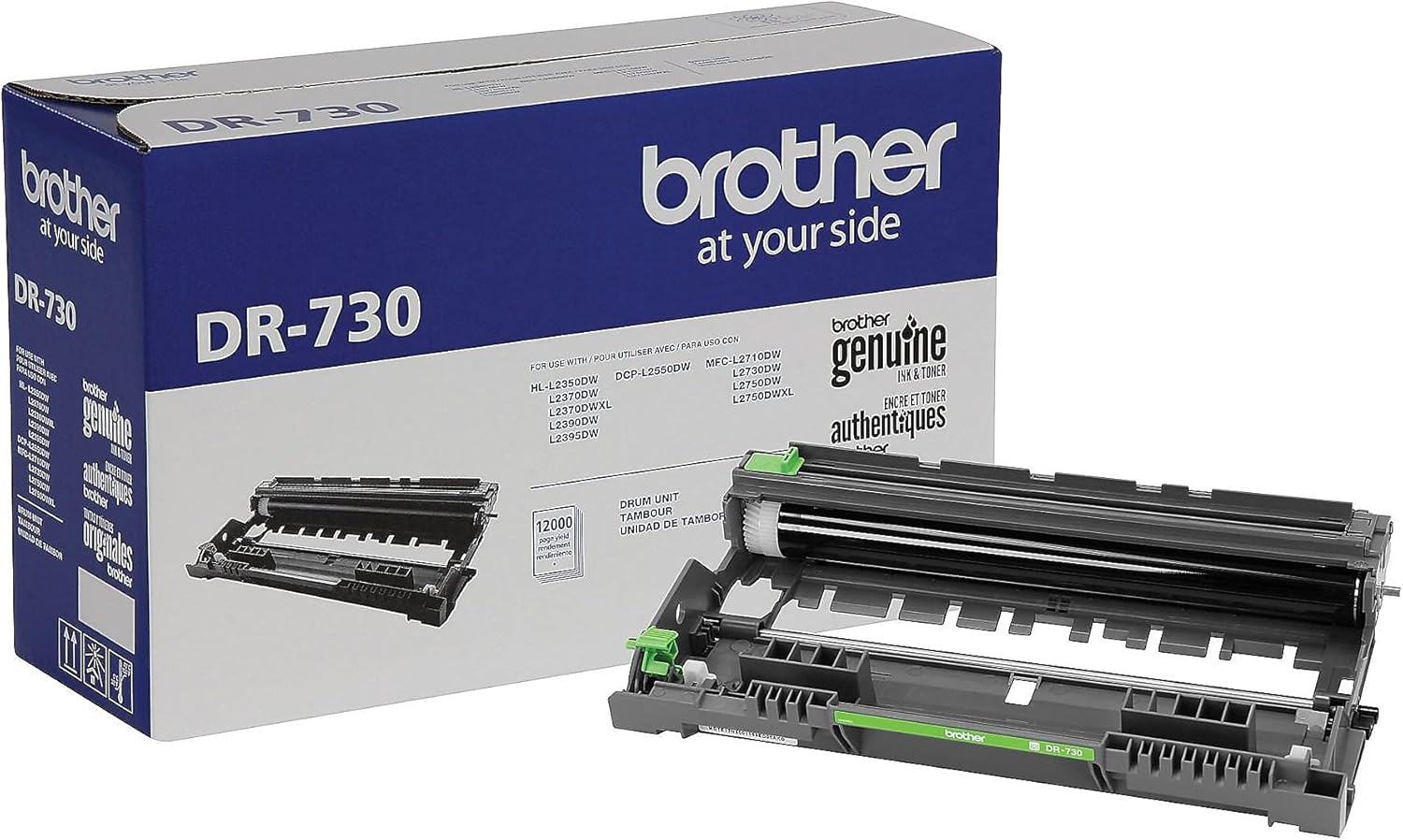
Here’s where a lot of buyers get caught off guard: the drum unit and the toner cartridge are two different components on Brother HL-L2 series printers, sold separately. This is called a separate drum/toner architecture. Some printer brands integrate both into one cartridge so the drum is discarded with every toner replacement. Brother separates them so the drum — which is more expensive to manufacture — can outlast multiple toner cycles before requiring replacement.
The DR730 drum is rated by Brother’s DR730 product specification sheet (brother-usa.com) at approximately 12,000 pages. That means:
- If you use TN730 cartridges: roughly 10 toner swaps per drum cycle
- If you use TN760 cartridges: roughly 4 toner swaps per drum cycle
Your printer tracks drum life automatically. When the drum counter approaches end-of-life, you’ll see a “Replace Drum” message on the LCD or a blinking indicator, depending on your model. PCMag’s review of the Brother HL-L2350DW (pcmag.com) notes that this notification system surfaces early enough that you can order a replacement ahead of time rather than scrambling when output quality degrades.
Street price for the DR730 drum (OEM, May 2026): approximately $65–$85. Compatible drum units from established remanufacturers run $25–$45.
One important installation detail: when you install a new DR730, you need to reset the drum counter through your printer’s menu — the printer does not auto-detect a new drum. If you skip this step, your printer will continue showing the replacement warning even with a fresh drum installed. Brother’s support documentation covers this reset sequence for each model in the HL-L2 and MFC-L2 lines.
OEM vs Compatible: Three Buyer Tiers Compared
For buyers managing two to ten printers — or anyone making a considered purchase decision rather than a panic buy — the OEM-versus-compatible question is where the real money lives. The risk profile differs between toner and drum, and it differs across volume tiers. The three sections below address each tier directly.
Light-Duty Home and Home-Office Users
At this tier, you’re running a single Brother HL-L2 printer at 10–30 pages per week. Cartridge swaps happen every few months rather than every few weeks, and drum replacement may be a once-every-several-years event.
Toner recommendation: OEM TN760 from an authorized retailer. The upfront cost is higher than compatible alternatives, but the yield predictability is ironclad per Brother’s published specifications, and you won’t need to vet vendor lot quality or monitor firmware interactions. For this print volume, the per-cartridge cost difference between OEM and compatible is measured in dollars per year, not per month — not a compelling reason to introduce variables.
Drum recommendation: OEM DR730. At this print volume you’ll replace the drum rarely. The peace-of-mind premium over compatible is small on an annualized basis and eliminates any diagnostic ambiguity if streaking or ghost images appear.
Digital Trends’ long-term review of the Brother HL-L2395DW (digitaltrends.com) noted consistent output quality across multiple OEM TN760 cartridge cycles with no banding or density variation — a useful data point for users who want to understand what “normal” looks like before introducing compatible supplies into the chain.
TN760
$42.87
In stock on Amazon
Check price on AmazonMid-Volume Small Business and Workgroup Users
At this tier, you’re running two to five HL-L2 printers at 50–150 pages per week per device. Cartridge spend is a recurring line item. Drum replacements happen on a meaningful schedule — potentially one to two per printer per year at higher volumes.
Toner recommendation: Compatible TN760-equivalent cartridges from established suppliers such as LD Products or CompAndSave are worth evaluating at this volume. Savings of $18–$28 per cartridge over OEM add up quickly across a multi-unit environment. Tom’s Hardware’s overview of aftermarket toner compatibility (tomshardware.com) notes that the best-performing compatible toner cartridges come from suppliers who publish ISO-certified yield testing on their own product pages — use that as a quick vetting filter when evaluating a new vendor.
The firmware consideration: Tom’s Hardware’s aftermarket toner compatibility overview specifically flags the Brother HL-L2 and MFC-L2 family as one where firmware version can affect compatible cartridge recognition. Before deploying compatible toner across your fleet, confirm your printers’ current firmware versions and cross-reference against the compatible cartridge vendor’s compatibility documentation. This is an active issue as of mid-2026, not a theoretical one. Lock firmware before a full fleet rollout.
Drum recommendation: Compatible DR730 units from Tier 1 remanufacturers are defensible at this volume level, particularly if you’re already running a compatible toner vendor with a solid track record. Savings of $25–$45 per drum over OEM become meaningful across a five-unit fleet on a multi-year horizon. Vet drum vendors the same way you vet toner vendors: look for published yield certification and a return policy that covers defective units.
Brother
$55.79
In stock on Amazon
Check price on AmazonHigh-Volume Fleet and Managed Print Environments
At this tier, you’re managing ten or more HL-L2 or MFC-L2 printers, potentially across multiple locations, with per-device volumes exceeding 200 pages per week. Cartridge and drum spend is a managed cost center, not an ad-hoc purchase.
Toner recommendation: Commercial-tier compatible suppliers — Katun and Clover Imaging are the names most consistently cited in the office technology trade press, including Office Technology Magazine (officetechnologymagazine.com) — offer TN760-compatible cartridges with ISO yield certification, quality assurance documentation, and volume pricing structures that OEM channels do not match. At this scale, the savings per cartridge multiplied across fleet size and annual volume will typically justify the procurement overhead of vetting and qualifying a supplier.
Drum recommendation: Compatible DR730 units from Clover Imaging or equivalent Tier 1 drum remanufacturers are the standard choice at fleet scale. OEM drum pricing at volume does not typically include the discount structures that toner OEMs offer, making the compatible value proposition even stronger on the drum side than on toner.
Fleet management note: PCMag’s review of the Brother HL-L2350DW (pcmag.com) covers the printer’s basic supply monitoring interface, but at fleet scale you’ll want to verify whether your managed print software can pull drum life counters remotely — not all third-party fleet management tools surface the Brother drum counter cleanly. Confirm this before standardizing on a monitoring platform.
Brother
$123.29
In stock on Amazon
Check price on AmazonPutting It Together: The Full SKU Decision Tree
If you’re staring at a purchase decision right now, here’s the simplified flow:
Step 1 — Confirm your printer model. The TN730/TN760/DR730 family covers the HL-L2350DW, HL-L2370DW, HL-L2390DW, HL-L2395DW, MFC-L2710DW, and MFC-L2750DW. If you have an older HL-L2300D or HL-L2380DW, the cartridge family is different — TN660/TN630 paired with the DR630 drum — and the number sequences do not carry over. Don’t assume.
Step 2 — Choose your yield tier. TN730 if you print lightly and want the lowest upfront spend. TN760 if you print regularly — the cost-per-page math favors it above roughly 40 pages per week, and the advantage compounds across a multi-printer environment.
Step 3 — Check your drum counter. Your printer’s menu (typically: Menu → All Settings → Machine Info → Drum Life) shows remaining drum life as a percentage. If you’re under 20%, order the DR730 alongside your toner. Don’t wait for the hard “Replace Drum” lockout.
Step 4 — Decide OEM or compatible. Use the volume-and-risk framework from the three tiers above. If compatible: vet your vendor’s ISO yield certification, check the firmware compatibility note, and stick with established commercial names rather than no-name marketplace listings.
Step 5 — Time your purchase. OEM Brother toner typically sees its best pricing in Q4 (October–November) and in late January, following seasonal patterns in office supply retail. Brother’s own starter bundles — which pair a TN760 with a DR730 — often undercut buying each component separately and are worth pricing at major office supply retailers before purchasing the two SKUs individually.
Your Next Step
The SKU match is the whole game here. Use the compatibility checker at the top of TonerForSale.com to confirm the exact TN730, TN760, or DR730 listing for your specific HL-L2 variant — it filters out cross-family confusion and surfaces current pricing on both OEM and compatible options side by side. If you’re managing a fleet and want to run a full cost-per-page projection across multiple devices, the site’s CPP calculator lets you plug in your page volume and compare OEM versus compatible scenarios before you commit to a supply contract.
Get the SKU right, and everything downstream — yield, cost, reliability — follows predictably.